Streamer / OPSEC mode
OPSEC mode hides identifying information in the GameVault 2 interface so you can take screenshots, record videos or stream without exposing yourself or your server.
What it hides
- User names, including your own and other users in the community views.
- Email addresses in profile and account screens.
- Your server address, replaced with a placeholder.
- Profile pictures are replaced with generated avatars.
The masking happens only in the client interface. Server data, downloads and game files are untouched, and nothing is sent anywhere.
Enabling it
Open Settings → Appearance and enable Streamer / OPSEC Mode. The change applies immediately and persists across restarts.
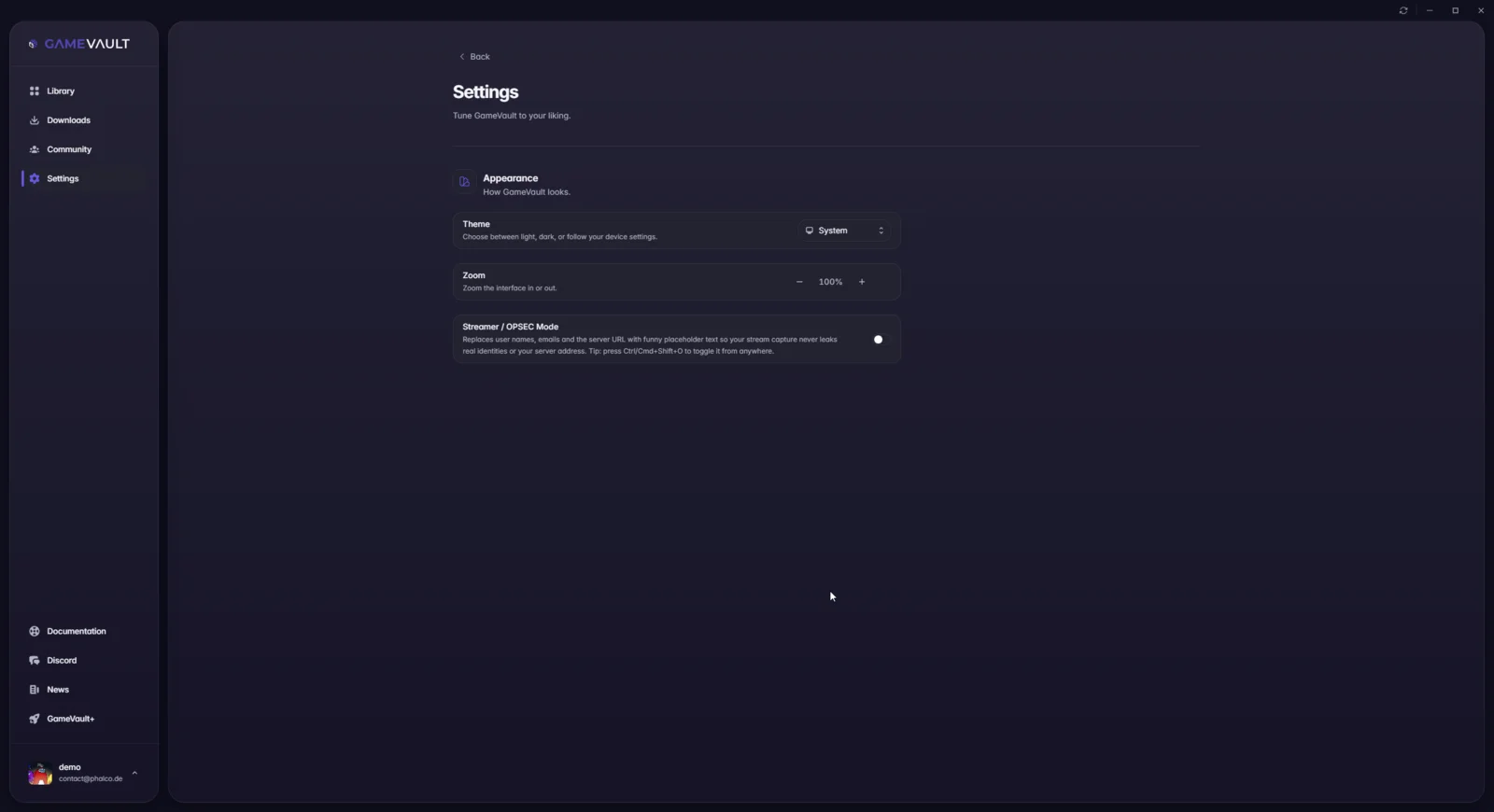
You can also toggle it from anywhere in the app with Ctrl+Shift+O on Windows and Linux, or Cmd+Shift+O on macOS.
Web UI and desktop app
The setting is part of the shared interface, so it is available in both GameVault 2 and the Web UI.
Before you publish
Check the screenshot for the parts OPSEC mode does not cover:
- Game titles and cover art (they say something about your library).
- Timestamps and playtime, if they reveal when you play.
- Server-generated content such as news posts that mention your instance.
- Anything you typed into a search field or chat.