Skip to main content

Your Games.
Your Server.
Your Rules.

The self-hosted Steam alternative for DRM-free games. Run the server on your NAS, mini PC or VPS and play from Windows, Linux, macOS or the browser.

  • Free & self-hosted
  • Docker in 5 minutes
  • Windows · Linux · macOS · Web

GameVault 2 is available for Windows, Linux and macOS as a public beta, plus the Web UI in your browser.

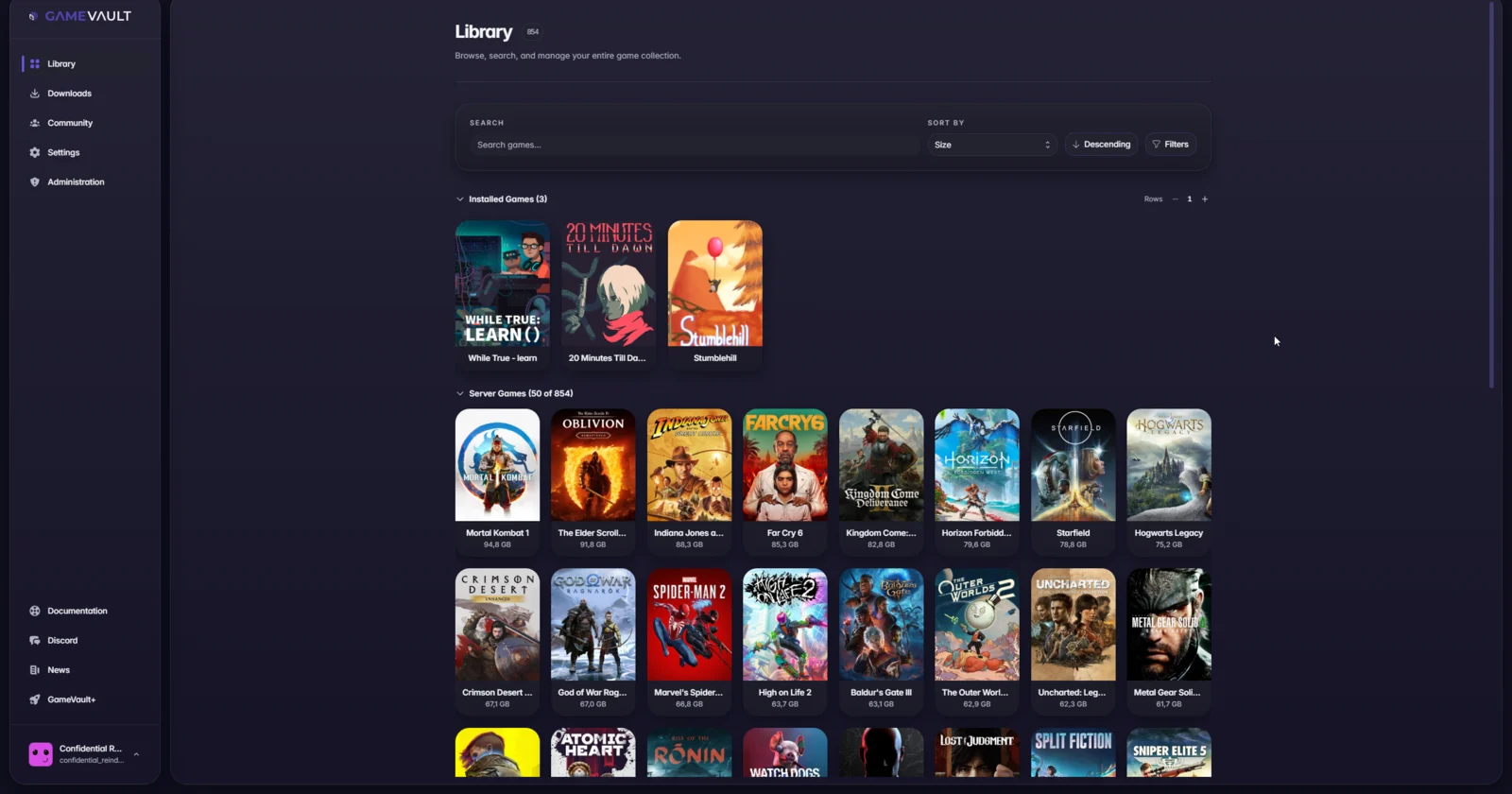
gamevault.local · Library
GameVault 2 library with three installed games above the server library
Built by a small team since 2023GitHubDocker HubDiscordRedditLemmy

How it works

Server, games, play

Three steps from a folder of installers to a private game library.

  1. 01Step 1

    Run the server

    Deploy GameVault Server with Docker. Postgres or SQLite, a folder for your games, and you are done.

    Server setup
  2. 02Step 2

    Add your games

    Drop installers and portable builds into the files volume. GameVault indexes them and pulls metadata and artwork from IGDB.

    Adding games
  3. 03Step 3

    Play anywhere

    Install GameVault 2 on Windows, Linux or macOS, or open the Web UI in a browser. Your library follows your account.

    Download

Features

Take back control of your gaming collection

GameVault is the ultimate ecosystem for the modern self-hoster. Built for performance, reliability, and total ownership of your digital library.

GameVault 2 library with installed games above the server libraryLibrary

Your Personal Game Cloud

Host your entire DRM-free collection on your own hardware. Experience a stunning interface that brings the convenience of Steam to your homelab. Access your library with GameVault 2 on Windows, Linux and macOS, or through the built-in Web UI.
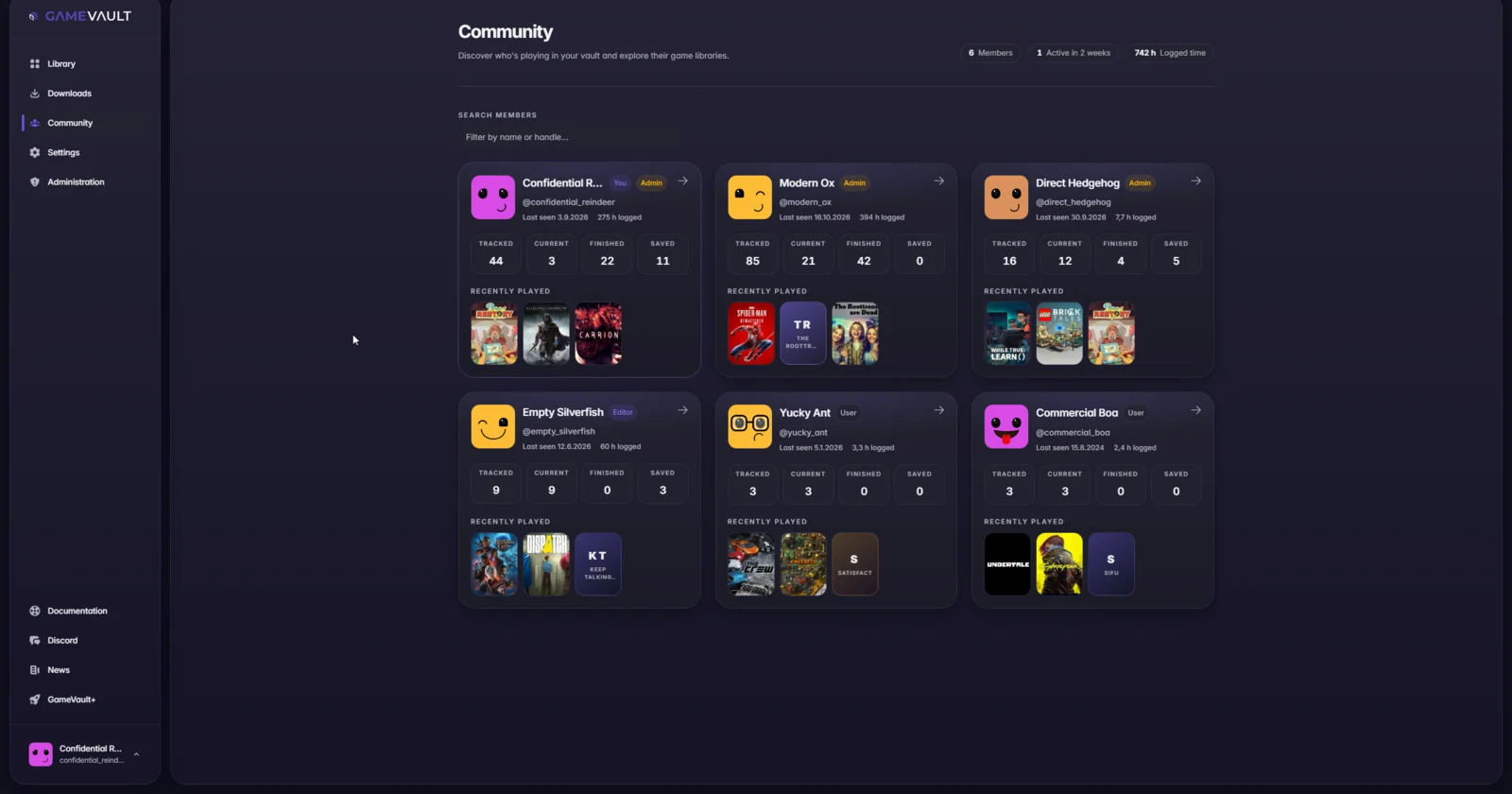
Community tab listing members with progress countersCommunity

Multi-User & Social

Turn your server into a private gaming center. Share access with friends and family, manage user accounts, and build your own gaming community with ease and full control.

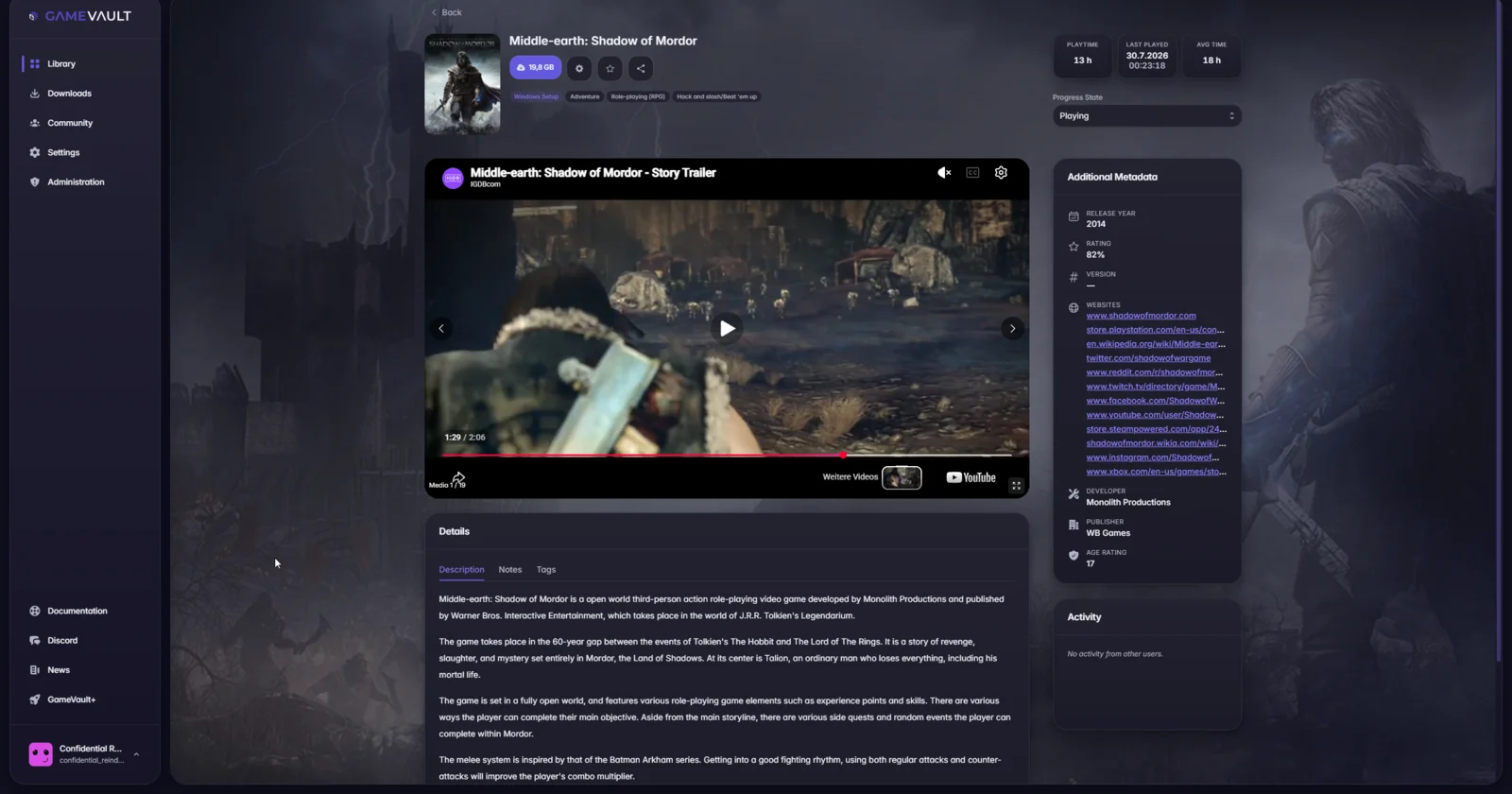
Game page with playtime statistics and the progress stateTracking

Playtime & Progress Tracking

Keep track of your gaming journey with detailed playtime statistics. Monitor your progress, manage your backlog, and see what your community is playing in real-time.

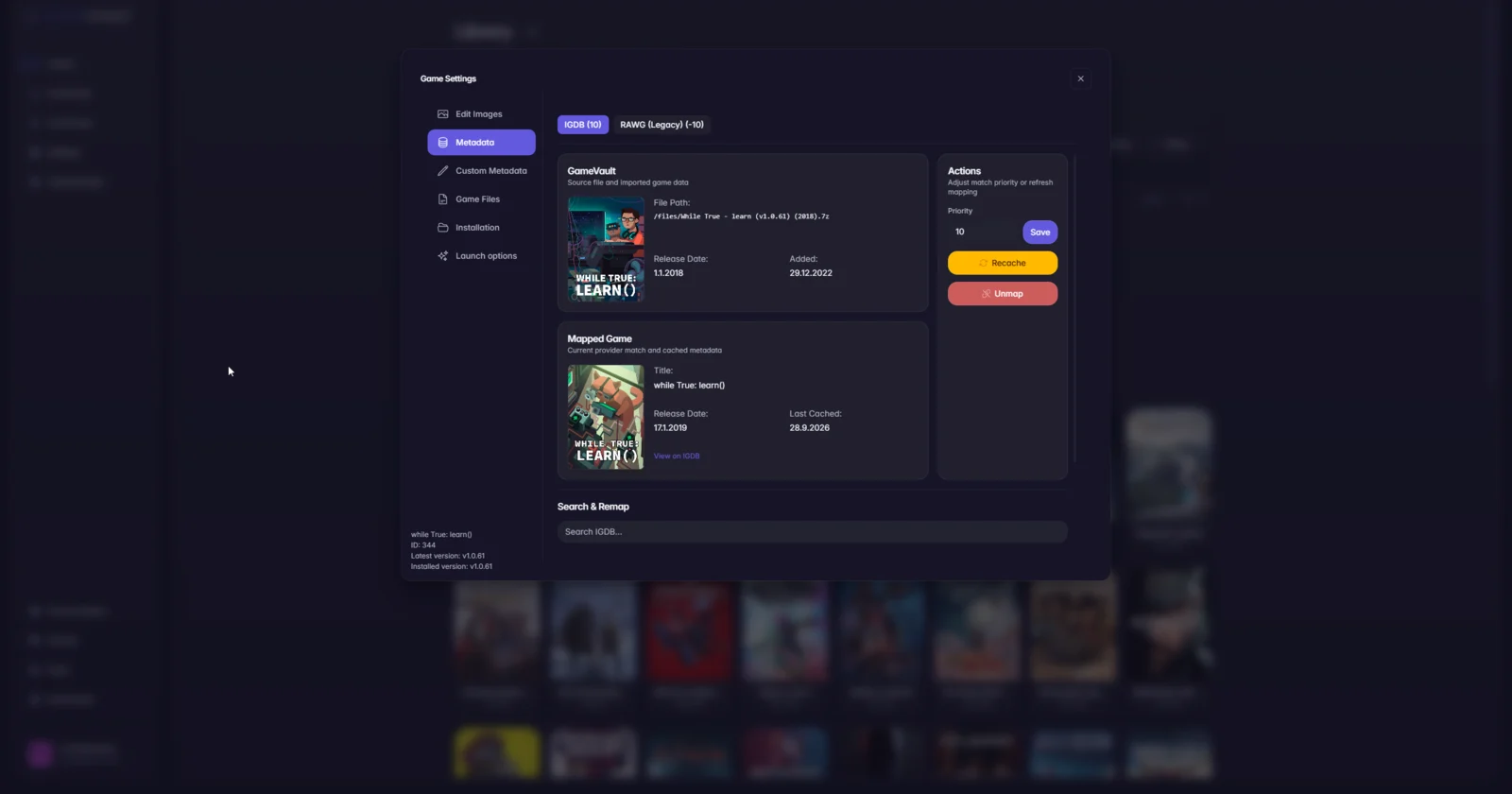
Game settings metadata tab with provider priority and remapMetadata

Automatic Metadata Enrichment

No more manual editing. GameVault automatically fetches high-quality cover art, descriptions, and metadata to keep your collection looking stunning and professional.

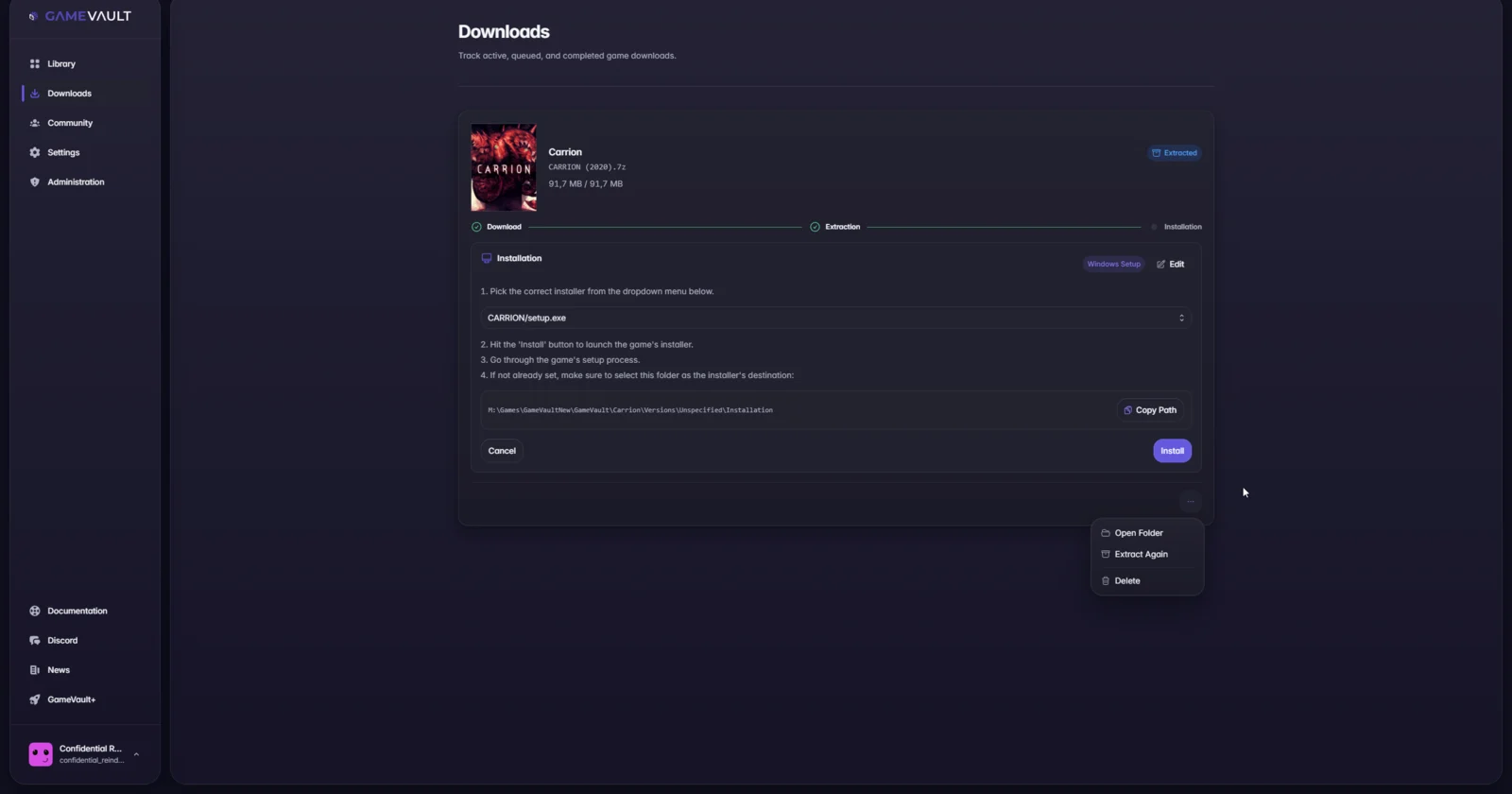
Downloads tab with the setup installer and destination folderSetup

Easy Installation

Built for self-hosters. Download the client for Windows, Linux or macOS, and deploy your server in minutes with our easy setup guide for any environment.

Community DrivenOpen

Community Driven

Built by gamers, for gamers. Join our Discord to help shape the future of the project, or explore the source code on GitHub to contribute.

Live demo

Ready to explore?

Experience GameVault firsthand in our public demo. No installation required. Use the credentials to log in and explore the library, metadata, community and admin views.

demo credentials

Username

Password

Click a value to copy it.

Optional subscription

Support development with GameVault+

GameVault is free. GameVault+ is the optional subscription that funds development and adds a few extras. From €4.99 per month.

GameVault+ currently requires GameVault 1. Support for GameVault 2 is planned.

  • Cloud saves

    Back up savegames through your server and continue on another machine, powered by Ludusavi.

  • Themes

    Premium themes and custom themes, so the client matches your setup.

  • Integrations

    Steam library sync, Discord Rich Presence and the Playnite extension.

  • Multiple profiles

    Stay signed in to several servers on one device and switch without typing credentials again.

FAQ

Frequently asked questions

Can’t find what you’re looking for? Reach out via Discord, GitHub, or email.

Is GameVault a multi-platform launcher?

No. Unlike tools that aggregate existing stores, GameVault is a self-hosted ecosystem. It allows you to host, manage, and distribute your own DRM-free game files from your own private server.

Does it support Steam or Epic Games?

GameVault is built specifically for DRM-free content (like that from GOG or Humble Bundle). Most major storefronts use proprietary DRM which is incompatible with independent hosting and distribution.

Is GameVault free to use?

Yes, the core GameVault ecosystem is and will always be free. We offer GameVault+ as an optional premium subscription for users who want advanced features and wish to support the ongoing development of the platform.

Is GameVault open-source?

GameVault is source-available. The code is transparent and open for personal modification, allowing you to customize the experience while protecting the project's future.

Do I need a NAS or a dedicated server?

Any machine that runs Docker works: a NAS, mini PC, home server or VPS. You mainly need disk space for the game files; the server itself is lightweight.

What does GameVault cost?

The server and clients are free. GameVault+ is optional and starts at €4.99 per month; see what it includes.

Are there native Mac or Linux clients?

Yes. GameVault 2 is the desktop client for Windows, Linux and macOS, currently in public beta. GameVault 1 is still available for GameVault+ users, and the Web UI works in any browser.

Does GameVault support game streaming?

No. GameVault focuses on library management and file distribution. It provides an interface to browse and download your games, but the games themselves run locally on your hardware for the best performance.

What is your stance on piracy?

GameVault is built for the management of legally owned DRM-free content. We do not endorse or support piracy. We believe in digital ownership and supporting the developers who make the games we love.

Is this related to gambling apps?

No. GameVault is a gaming utility. We have no affiliation with gambling platforms that may share a similar name. We are dedicated solely to game library management.

Can my friends play on my server?

Yes. Create users, assign roles and enable parental control if needed. For access outside your network, expose the server through a reverse proxy or a VPN.

What is still missing in GameVault 2?

GameVault+ is not available in GameVault 2 yet. The feature comparison lists every gap and its tracking issue.

Get started

Ready to host your own library?

Free and self-hosted. Bring your game files and your own hardware.

All depicted games on this website are placeholders and not real.